Free browser-based POS for cafés and retail shops
Ring up your first sale before the coffee goes cold. Spike POS runs in the browser you already have, with no POS terminal to buy, nothing to install and no card on file.
Records each sale and how it was paid. You take the payment on your own card terminal or in cash.
What it takes to start
- What you need
- A browser
- Any tablet, laptop or phone you already own, plus an internet connection. No dedicated POS terminal and nothing to install.
- What it costs to start
- Nothing
- The Starter plan is free for as long as you want it, and it doesn’t ask for a card.
- Time to first sale
- About 10 minutes
- Your first store and register are ready at signup. Add products by hand and record a sale. On Pro you can import a CSV catalogue.
Sweet moments.
Seamless sales.
See a bakery sale come together in 25 seconds, from choosing a treat to recording the sale and handing over a receipt.
Read the video description
A customer enters the fictional Petal & Crumb bakery and chooses a chocolate cake and two cupcakes. The baker adds the products to the Spike POS register. A separate contactless reader represents payment collection, then the sale is marked paid, a receipt prints and sample stock counts decrease. The baker hands over the box, and the customer leaves. The animation ends with “Sweet moments. Seamless sales. Powered by Spike POS.” There is music and sound effects, with no spoken narration.
Everything you need behind the counter
Six things a shop actually does in a day, each marked with the plan it’s on. See how it works for a café counter or a small retail shop, or read about running a POS in the browser.
Checkout
Tap a product, build the order and record the sale. Runs on the tablet already sitting on your counter, and on the laptop out the back at the same time.
FreePayments
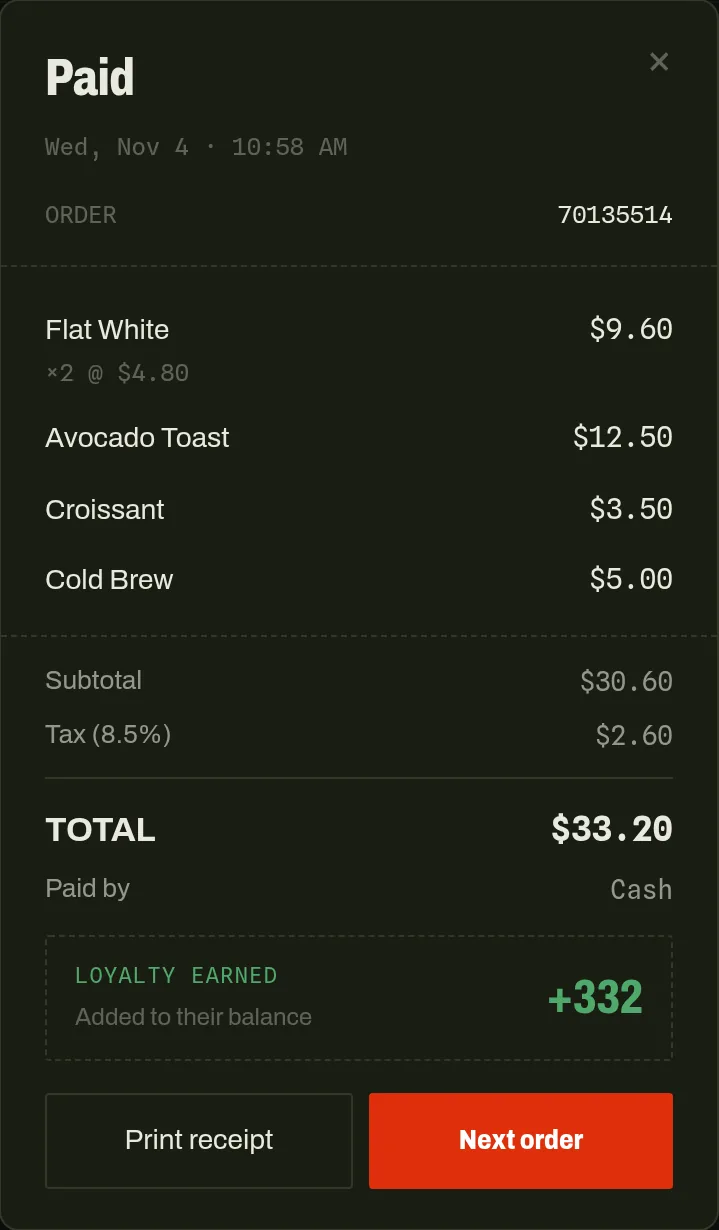
Mark each sale as card, cash or contactless. Spike POS records how it was paid and doesn't process the payment, so you collect it on your own terminal or in cash.
FreeReceipts
Print an itemised receipt from your browser in an 80 mm layout, right after the sale or later from sales history. Emailed receipts aren't in the app yet.
FreeReports
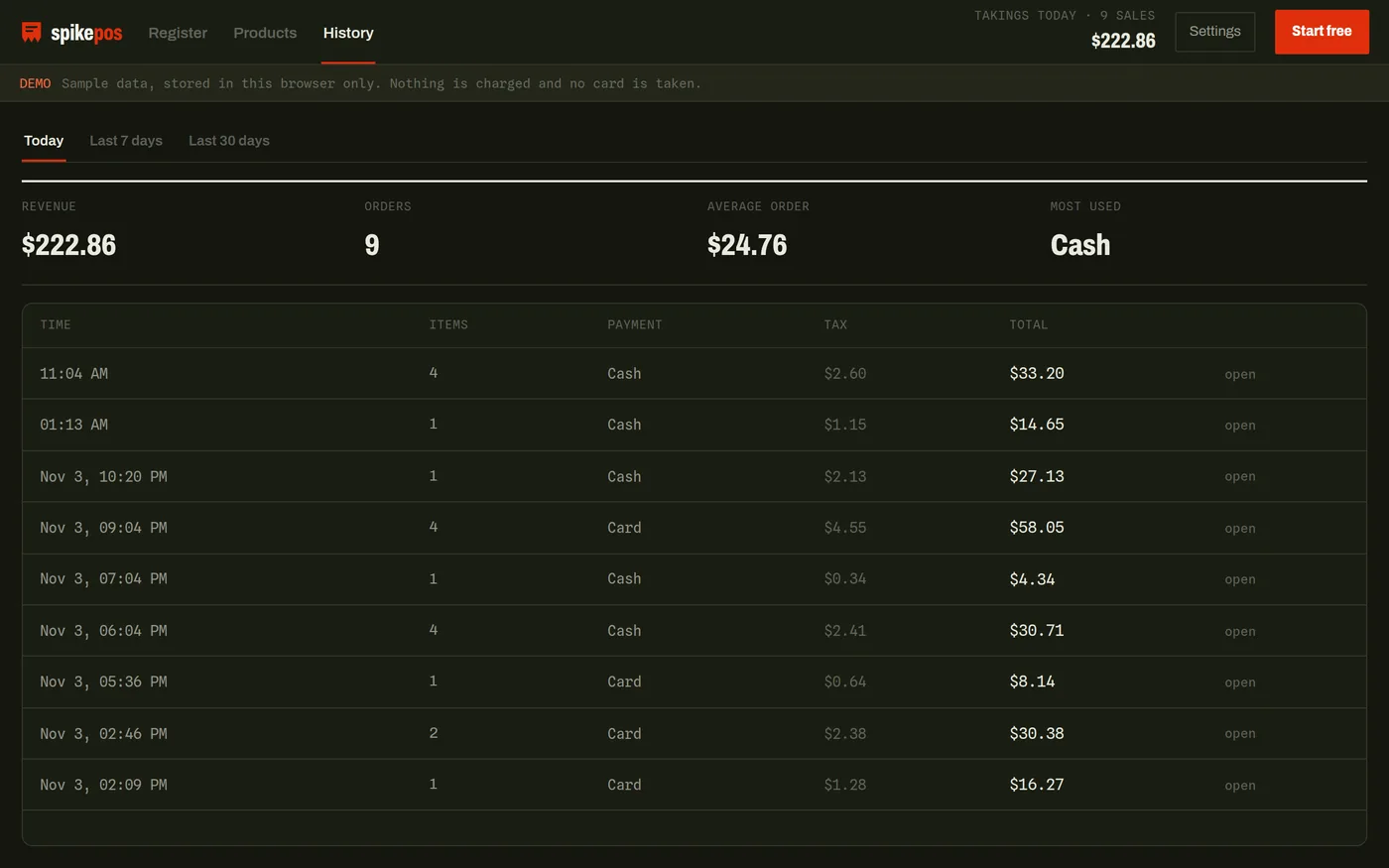
What sold and what it made, by day, product and payment type. Pro adds category, hour and cashier, and keeps your full history rather than 30 days.
FreeInventory
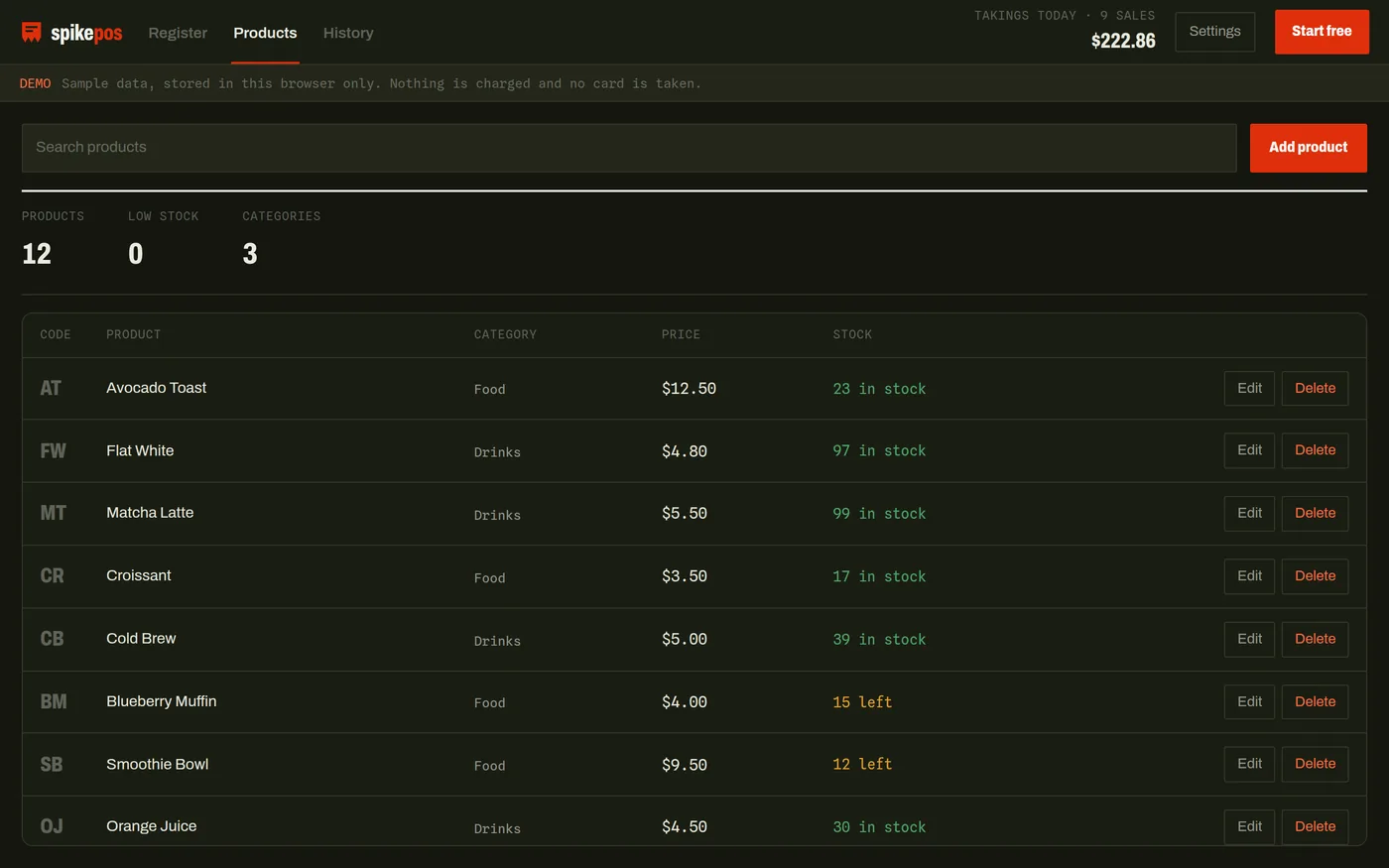
Stock drops the moment a sale is recorded, and flags low at five left unless you set another level. Out-of-stock items grey out on the register.
ProLoyalty
Find a customer by phone at the till, and points are added when the sale is recorded, so regulars get recognised without you having to remember their face.
Pro
Stock that goes down as the sale closes
On Pro, every unit leaves the count the moment the sale is recorded, on every screen at once. You get told you’re nearly out while you can still do something about it - not the next morning when you go looking for it. See how inventory management works.
At five left
The register and your product list flag it as low stock, so whoever is on shift sees it too. You can change the level per product.
At zero
The product greys out on the register and can’t be added to an order, so nobody sells what you haven’t got.
Bulk changes
Import new products from a CSV on your first day, and export the whole catalogue whenever you need a copy.
Try a demo till in your browser
The demo runs on sample data, stored in your browser only, and its screens differ a little from the app you get when you sign up. Nothing is charged and no card is taken.
Try the live demo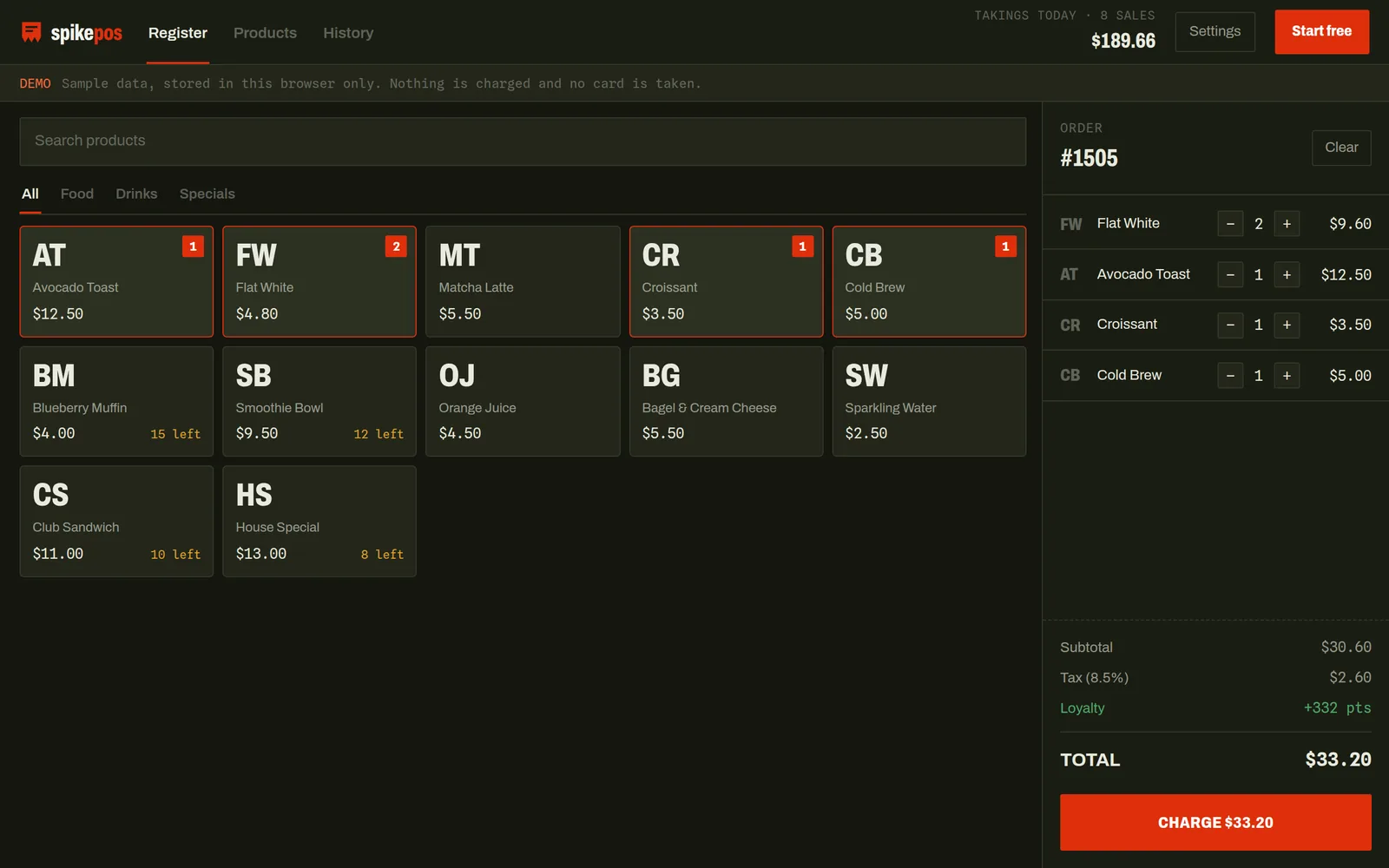
Start free. Pay when it’s earning.
No setup fee, no cut of your takings, no contract. Create your free account, then choose Pro from the billing page. See full pricing details.
Starter
For a single counter finding its feet
- Registers
- 1
- Products
- 50
- Locations
- 1
- Inventory tracking
- Not included
- Loyalty points
- Not included
- Reports
- Basic
- CSV import / export
- Not included
- Team members
- 5
- Sales history
- 30 days
- Custom receipt message
- Not included
Pro
For a shop running real volume across more than one till
- Registers
- Unlimited
- Products
- Unlimited
- Locations
- 2
- Inventory tracking
- Included
- Loyalty points
- Included
- Reports
- Full
- CSV import / export
- Included
- Team members
- Unlimited
- Sales history
- Unlimited
- Custom receipt message
- Included
Enterprise
For several sites reporting into one place
- Registers
- Unlimited
- Products
- Unlimited
- Locations
- Unlimited
- Inventory tracking
- Included
- Loyalty points
- Included
- Reports
- Full
- CSV import / export
- Included
- Team members
- Unlimited
- Sales history
- Unlimited
- Custom receipt message
- Included
Questions before you start
Is Spike POS really free? Yes. The Starter plan is free with no credit card required, and includes one register, one location and up to 50 products. Pro is $18 a month, or $14.40 a month billed annually, with recurring billing through Gumroad. Start free, then upgrade from your account.
Do I need a POS terminal or other hardware? You don't need a dedicated POS terminal. Spike POS runs in a web browser on a tablet, laptop, desktop or phone you already own. You do need an internet connection, and your own card terminal if you accept cards.
Does Spike POS process card payments? No. Spike POS records whether each sale was paid by card, cash or contactless, and doesn't charge cards or connect to card readers. Collect payment on your own terminal or in cash, then record the sale.
Does Spike POS work for restaurants? It suits counter-service cafés and takeaway best. The current operations code includes saved orders, café options and printable kitchen tickets, but production availability is unverified. Full-service features such as split bills, a full kitchen display and tips are not claimed.
Can I use Spike POS for my retail store? Yes, for a small shop. You can organise products into categories, record sales and look up customers, and Pro adds live stock counts. Linked size and colour variants are not supported. The current app code includes barcode lookup and returns; confirm availability in your account before relying on them.
Does Spike POS support a loyalty rewards program? Yes, on the Pro plan. Find a customer by phone number at the till, and points are added to their account when the sale is recorded. No third-party app needed.
Can I import my products from a CSV? On Pro, yes. You can import and export your product catalogue as CSV. On Starter, you add products by hand.
Does Spike POS print receipts? Yes. Receipts print through your browser's print dialog, in a layout made for 80 mm receipt rolls, to any printer your device can already use. A thermal printer needs its own driver and paper size set up on the device. Receipts can't be emailed yet.
Can my staff have their own logins? Yes. Invite each person from the Team screen by sending them a private link, and choose their role and locations. Starter includes five team members, and each sale records who made it.
Does Spike POS work offline? Login and startup need internet. The current operations code can queue uncomplicated cash sales from an already-loaded register, but production availability is unverified. Pending sales require manual synchronization and API confirmation; offline startup is not guaranteed.
Open a browser and start selling
The Starter plan is free for as long as you want it, and it doesn’t ask for a card. If you outgrow it, see what Pro adds.